Digital Documents
A PDF in your phone storage and a document retrieved from an issuer solve different problems. Check the requested document type before an application deadline.
Identify the evidence being requested
Read the application instructions before choosing a file. Write down the document name, issuing organisation, required year and accepted submission method. A college asking for a particular board certificate may need a different record from an employer asking for a readable copy. If the wording is unclear, ask a precise question about the format rather than asking whether all digital documents are accepted.
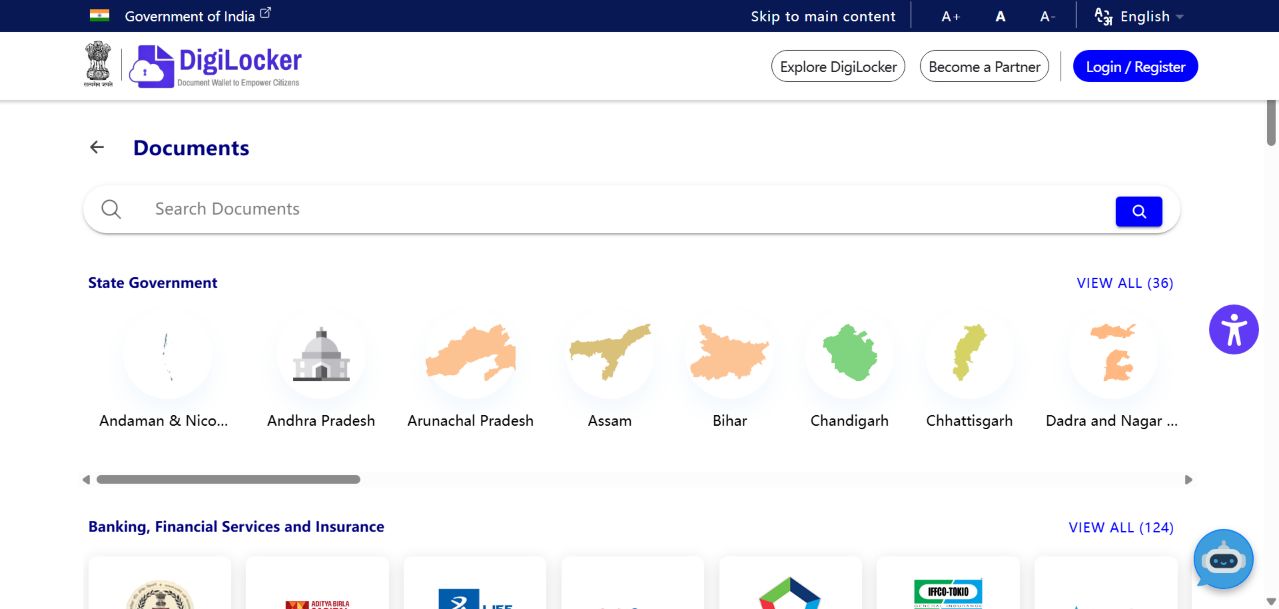
Understand the two routes
DigiLocker distinguishes records delivered through an integrated issuer from files you add yourself. Its document directory helps you find the issuing organisation. The important distinction is where the record comes from, not whether the file looks official when opened. Keep that distinction in your own folder names so a scan is not mistaken for an issuer-provided version.
Check the document itself
After retrieving a record, compare the holder name, document description and relevant year with the application requirements. Do not silently edit a discrepancy in an image editor. Record what differs and contact the responsible issuer. A clear-looking document can still be the wrong year or the wrong type, and a successful download is not confirmation that an application has been accepted.
Keep a small submission record
For your own reference, note what you sent, where you sent it and when. Avoid placing complete identity numbers in that note. If you need to ask support for help, describe the document category and problem first; provide sensitive details only through the organisation’s designated secure route. This makes follow-up easier without creating another unnecessary copy of your records.
Your next steps
- Read the recipient’s document requirements.
- Find the correct issuer and record type.
- Compare the displayed details with your application.
- Submit through the stated channel and retain the receipt.