Digital Documents
A missing marksheet is not always a login problem. Narrow the issue to the institution, document type and year before repeating the same search.
Make the search specific
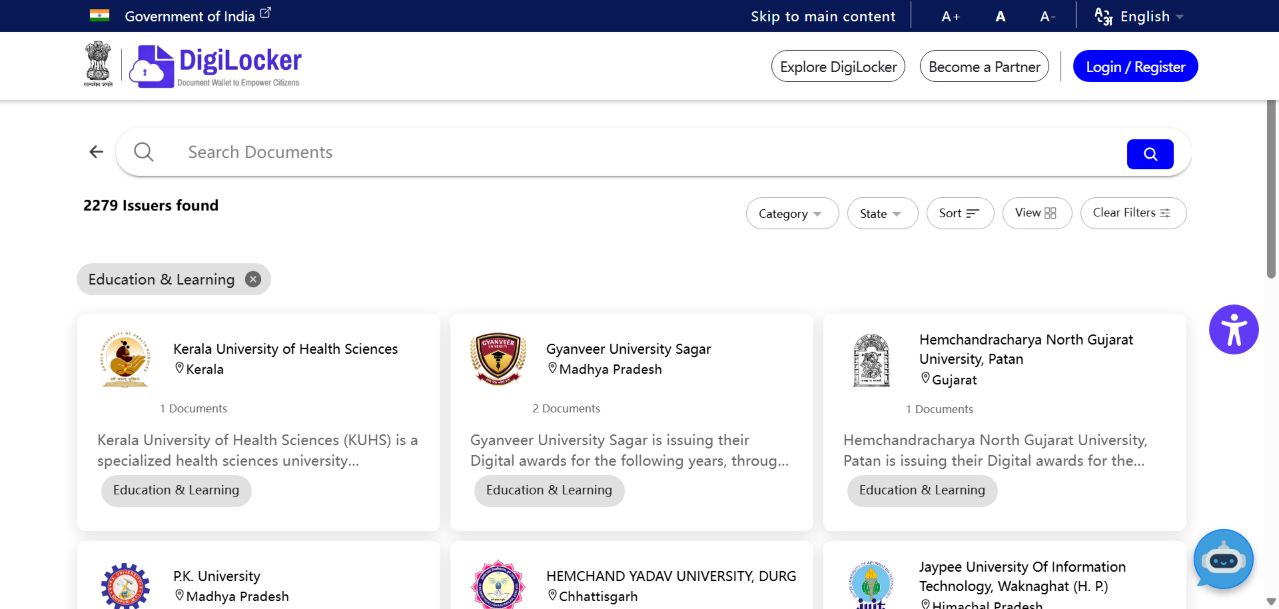
Write down the formal name of your board or university, the qualification, examination year and certificate type. A college name may differ from the university that issues the final document. Searching only for a familiar abbreviation can lead to a similarly named organisation. Compare the directory entry with the institution named on your existing academic records.
Separate availability from retrieval
A listed institution does not necessarily mean every historic qualification is available. The official expert FAQ explains that educational records depend on institutions supplying them. If the relevant category exists but your year does not, repeated attempts with different personal details are unlikely to clarify the issue. Check the issuer’s own notices or contact its examination office.
Describe the problem without oversharing
A useful enquiry says which document you need, which year is involved, and whether the issuer appears in the directory. Include the error wording, not a public screenshot containing a complete identity or enrolment record. Keep your account password and verification codes out of email. If the institution requests additional information, use its official process.
Plan around the real deadline
If an admission or employment deadline is approaching, ask the receiving organisation what alternative evidence it accepts while the digital record is unavailable. Do not assume that a screenshot of an error extends a deadline. Save the reply and follow the stated submission method. The practical objective is a valid application, not simply making a particular app display a document.
Your next steps
- Confirm the issuing board or university.
- Check the certificate type and year.
- Ask the issuer about unavailable records.
- Ask the recipient about an acceptable alternative if time is short.