Service Navigation
UMANG brings many departments into one place. A focused search is easier when you know which organisation owns the task you want to complete.
Name the task in one sentence
Begin with an outcome such as finding a document, viewing an application status or locating a department service. Avoid starting with a vague label like government work. A clear task helps distinguish information pages from application forms and prevents you from opening a similarly named service that does not handle your request.
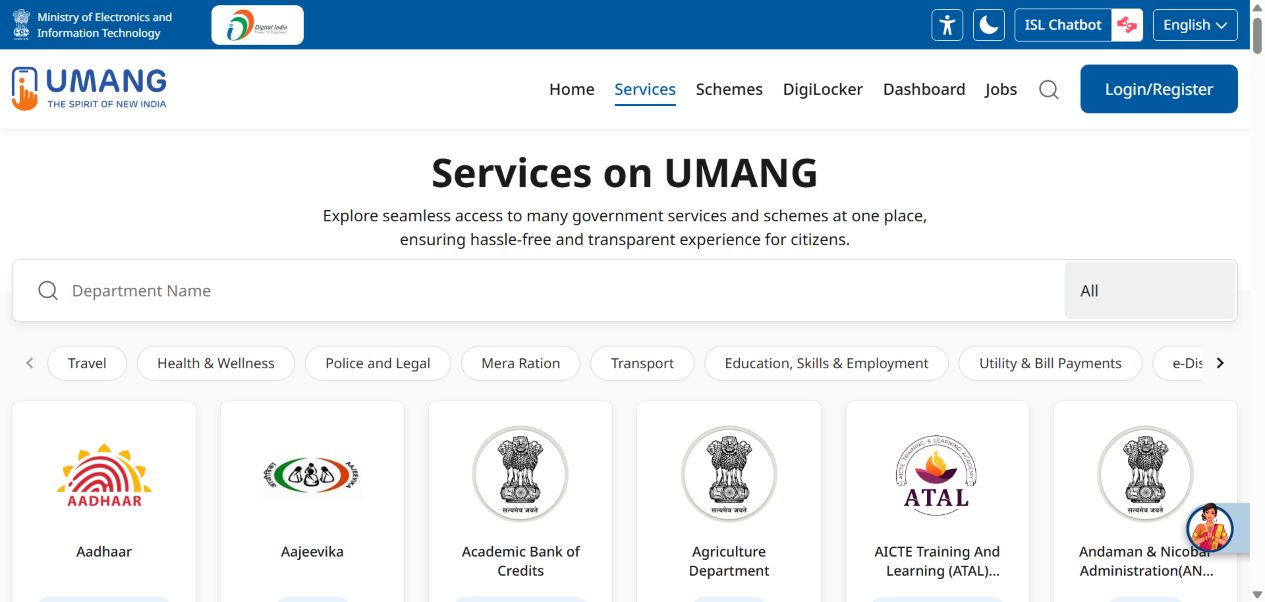
Use the directory as a starting point
The UMANG services page provides a department search and topic categories. These are navigation tools, not a promise that every service covers every location. Match the entry to the department that administers your request. For state services, compare the state name with the jurisdiction relevant to the application rather than assuming your current physical location decides it.
Read before entering details
Once you find a likely service, look for its description, eligibility or document requirements, and the official support route. Make a short checklist outside the form before starting. Do not enter personal information into multiple similar services merely to see which one works. If the service purpose remains unclear, use the department’s official information to resolve it.
Keep a route you can retrace
Bookmark the official service entry or record its name and department. Avoid saving a link containing private account or transaction parameters. If you later need support, a precise service name is more useful than saying the whole app is broken. Recheck the live page when returning after a long gap because departments can change their service routes.
Your next steps
- Describe the task.
- Search the department directory.
- Check jurisdiction and requirements.
- Keep the service name and official support route.